Midjourney V7 image generation is still available through the MiniMax API — see Midjourney V7 via MiniMax for examples and pricing.
How to Face Swap & Animate AI Images via API
5 min read • February 26, 2024 (June 15, 2026)
Table of contents
- Introduction
- Setup
- Preparing Midjourney Prompts
- Executing Prompts Using the Midjourney, InsightFaceSwap, and PixVerse API by useapi.net
- Examples
- Conclusion
Introduction
This article covers multiple experimental APIs provided by useapi.net.
You will learn how you can easily generate and upscale images from your prompt(s) using Midjourney, apply face swap via InsightFaceSwap, and finally animate the result using PixVerse.
First, we will be generating images using the /imagine command from Midjourney and upscaling them with the jobs/button command using the Midjourney API v3.
Next, we will use the InsightFaceSwap Discord Bot by Picsi.Ai using the experimental InsightFaceSwap API to swap faces on the upscaled images mentioned above.
Finally, the face swapped images are animated into short videos with PixVerse via the PixVerse API.
Please check out the  YouTube video showcasing the final results of these generations from this article.
This article explains how to use a webhook to retrieve generated results and how to structure a basic query to submit requests to the API. This approach is much more performant and consumes fewer resources.
Setup
We will use the experimental API provided by useapi.net to interact with Midjourney, InsightFaceSwap, and PixVerse.
Useapi.net
You need a monthly subscription to use the useapi.net experimental APIs mentioned in this article. Follow these steps to get started.
Midjourney
Naturally you’ll need a Discord account with an active Midjourney subscription. The $10 Basic Plan will suffice.
Follow these simple steps to obtain Discord token, referred to in this article as discord. Verify Discord access. Once you have Discord token, please create or update your Midjourney account information.
InsightFaceSwap
The InsightFaceSwap setup is similar to Midjourney’s, please follow our instructions.
InsightFaceSwap allows users to swap faces from source images onto different target images. It offers free and paid subscriptions. Paid subscribers have access to a wide selection of extra features, such as HiFidelity Mode, ARTIFY, oldify/youngify, morphing multiple faces in one image, and many more.
You can add the InsightFaceSwap Discord bot to the same server and channel as the Midjourney bot to speed up and simplify the setup process. If you’re planning to use the free plan, you may want to consider setting up multiple Discord/InsightFaceSwap accounts so that you can execute more operations daily, since one account alone may not suffice.
PixVerse
PixVerse turns a still image into a short video. Configure your PixVerse account by following the PixVerse setup steps, then register it for the API via POST /accounts/email.
Useapi.net provides an easy way to experiment with all API endpoints without writing any code. Check the Try It section at the end of each document page, such as Midjourney’s jobs/imagine, InsightFaceSwap’s faceswap/swap, or PixVerse’s videos/create.
For your convenience, we have published all the source code used in this article. You can choose between JavaScript and Python examples. Clone this repository locally and use it as a starting point for your experiments.
Ngrok
Follow official instructions to sign up for an ngrok account and copy your ngrok authtoken from your ngrok dashboard.
Preparing Midjourney Prompts
Let’s use ChatGPT to create a list of prompts. Here’s our ChatGPT prompt:
Create a simple JSON array of strings containing Midjourney prompts to generate the world’s most renowned portrait paintings.
The output will look something like this:
[
  "Portrait of a Young Man by Raphael",
  "Salvator Mundi by Leonardo da Vinci",
  …
  "Mona Lisa (La Gioconda) by Leonardo da Vinci"
]
An array of prompts generated by ChatGPT needs to be saved to a locally cloned prompts.json file.
Executing Prompts Using the Midjourney, InsightFaceSwap, and PixVerse API by useapi.net
Create a file locally in the same folder named example.sh with the following content:
JavaScript
USEAPI_TOKEN="useapi API token" NGROK_AUTHTOKEN="ngrok authtoken" node ./example.js
Python
USEAPI_TOKEN="useapi API token" NGROK_AUTHTOKEN="ngrok authtoken" python3 ./example.py
Execute it from the command line like this: ./example.sh and observe the magic of the experimental API.
The generated images and videos will be saved locally. You may proceed with the generation process within a Discord channel to further refine your creations. Alternatively, you can continue automate the process by using the jobs/button along with PixVerse or InsightFaceSwap, following the same process as demonstrated above.
Examples
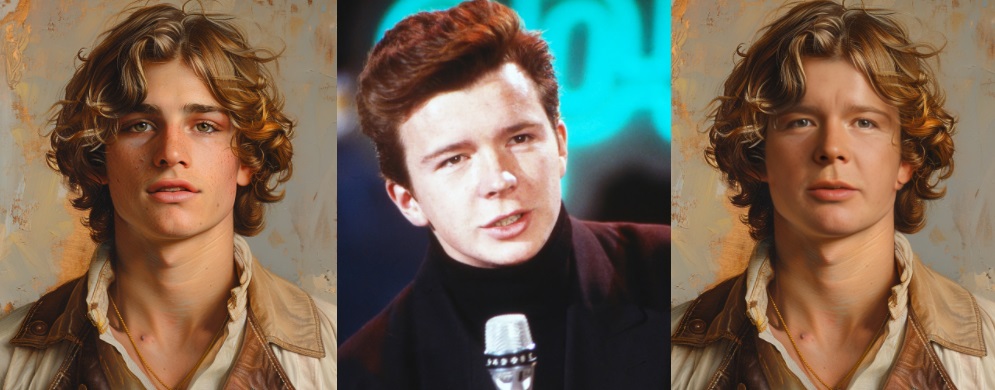
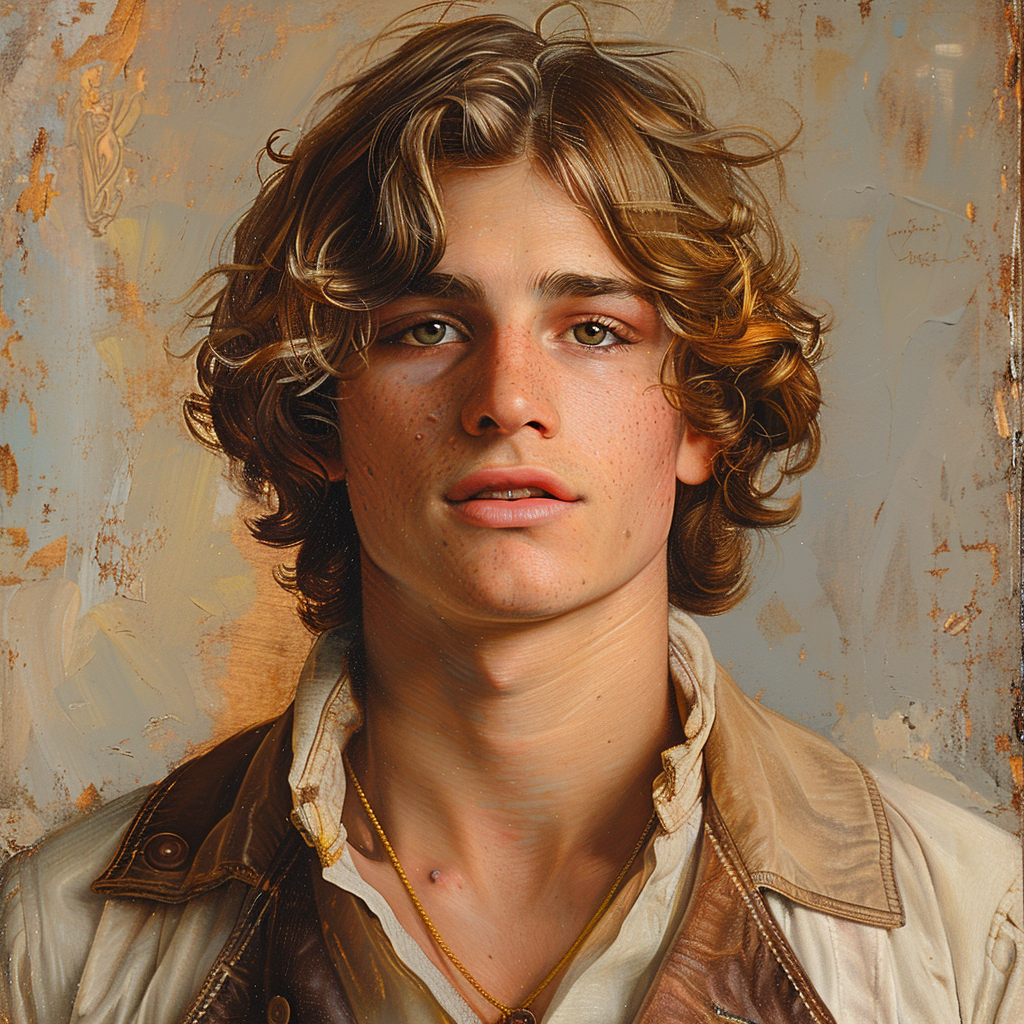
Upscaled image generated by Midjourney.
Face swapped image generated by InsightFaceSwap from upscaled image above.
Video generated from the face swapped image above using PixVerse image-to-video animation.
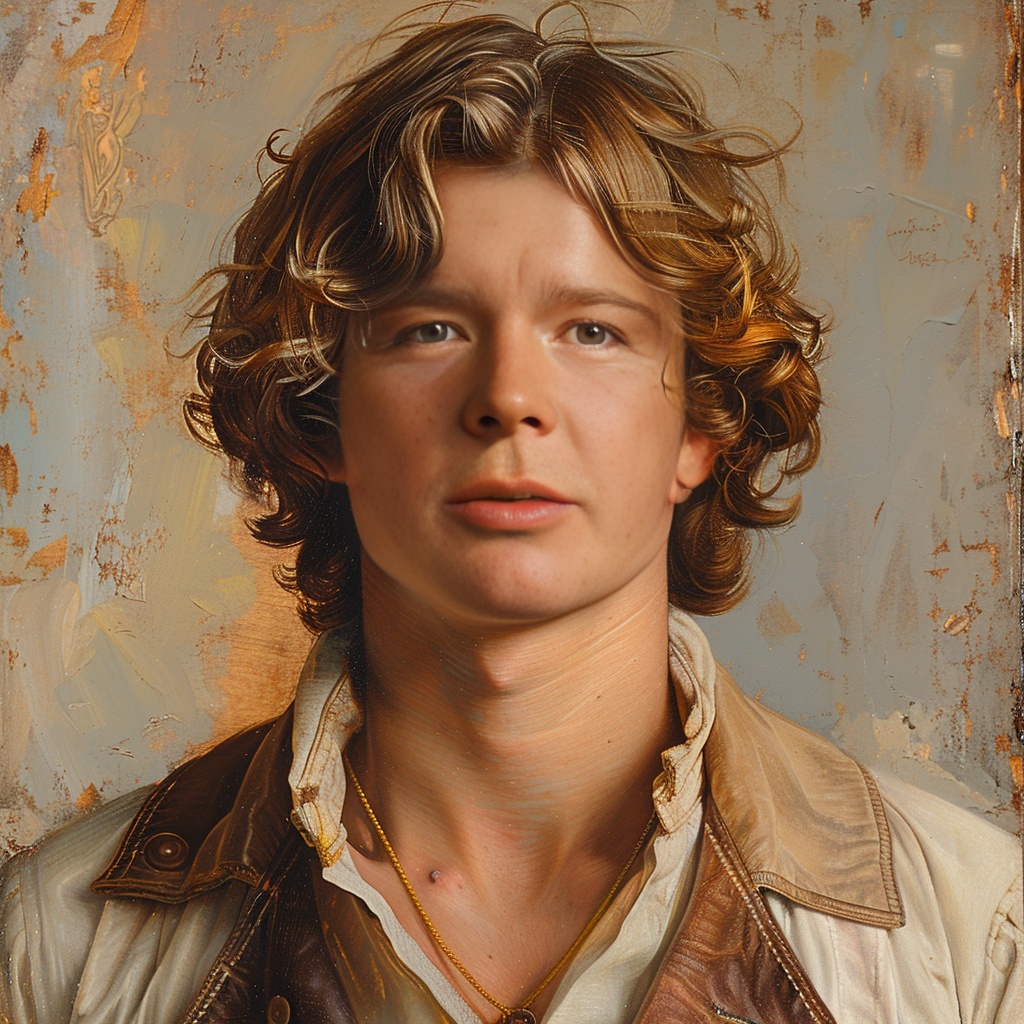
We used Rick Astley as a source image for face swapping, feel free to change it per your liking.

Conclusion
Visit our  Discord Server or
  Telegram Channel for any support questions and concerns.
Check our GitHub repo with code examples.