 Setup MiniMax | Hailuo AI
September 25, 2024 (November 24, 2025)
Table of contents
Approximately 5 minutes to complete setup steps.
This is the setup guide for MiniMax API. A Hailuo AI account and a useapi.net subscription are required for the API to work.
Connect your account (recommended)
Link your Hailuo account right in your own browser — a quick copy-and-paste, with no software to install and no remote setup. It runs entirely on your own machine and never touches your Google login.
Prefer to do it by hand? Continue with the manual steps below.
Setup hailuoai.video account
You need a hailuoai.video account to to use MiniMax API. Sign-in with your Google account at hailuoai.video. You can create as many accounts as you need. Our API uses automated load balancing and will select an account with available capacity.
Step 1 • Navigate to hailuoai.video
Open Chromium-compatible browser (e.g. Google Chrome, Microsoft Edge or Opera) and navigate to https://hailuoai.video.
Once the page is fully loaded, ensure that you’re logged in with your Google account 1.
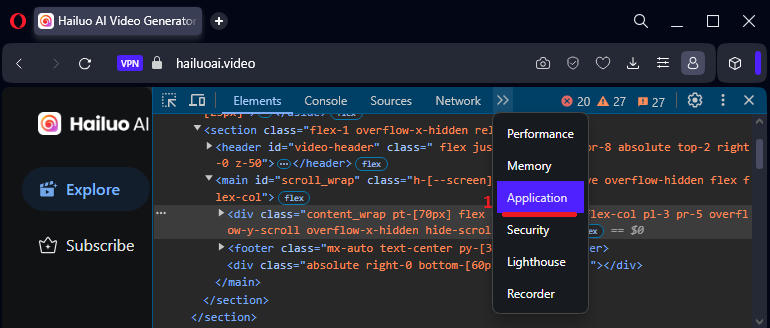
Open Developer Tools by right-clicking on the page and selecting “Inspect Element” 2.
Finally refresh page 3.

Step 2 • Locate url
Select Developer Tools » Network 1:
- On the left side many click on
Assetssubmenu2. - Type
/cursorin the filter box3and hit Enter. - Make sure that
AllorFetch/XHRis selected4. - You should see a http call(s) entry as shown below
5, click on that entry. - Select “Headers” tab
6. - Locate General » Request URL
7as shown below and copy its value. This is yoururl.
As an example below the url is
https://hailuoai.video/v3/api/multimodal/video/my/cursor?type=next¤tID=0&limit=30&scene=mine&filterType=2&device_platform=web&app_id=3001&version_code=22202&biz_id=0&lang=en&uuid=8a2d8b5d-ac0d-4bb5-8028-3177fa64f861&device_id=301350748241866752&os_name=Windows&browser_name=opera&device_memory=8&cpu_core_num=12&browser_language=en-US&browser_platform=Win32&screen_width=1920&screen_height=1080&unix=1728704107000
Step 3 • Locate token value
Locate Request Headers » Token 7 as shown below and copy it’s value. This is your token.

As an example below the token is
eyJhbGciOiJIUzI1NiIsInR5cCI6IkpXVCJ9.eyJleHAiOjE3MzIxNTk4MjksInVzZXIiOnsiaWQiOiIzMDEzNDg0MDk1ODE4MzgzMzYiLCJuYW1lIjoidXNlIGFwaSIsImF2YXRhciI6Imh0dHBzOi8vbGgzLmdvb2dsZXVzZXJjb250ZW50LmNvbS9hL0FDZzhvY0lLNEJaMmpfSlIxcTh3TkFKU2RlZzlwVHZlTDJTSVhFRjg4TkU4MV85VlowbFBRQT1zOTYtYyIsImRldmljZUlEIjoiIn19.1-zGnbUfENnVdjDGDBuaZ4Sf7rTelfqUKk5XNj7liE4
If you are curious, you can use jwt.io to decode the token and see its content.
Verify and add account
Use the form below to verify your credentials and add your MiniMax account.
Select Add Account to complete setup, or Verify to test your credentials first. You should receive response 200 if successful. You can also use POST /accounts directly.