如何用 GPT Image 2.6 API 生成动态 GIF
7 分钟阅读 • 2026 年 11 月 23 日
目录
简介
useapi.net 的 PixVerse API 可以用 OpenAI 的 GPT Image 2.6,根据文字提示词生成循环播放的动态 GIF。向 POST images/create 发送 "output_format": "gif",约 20 到 30 秒就会返回一个最多 16 帧的 GIF。Flare 和 Sunburst 都可以用。它们运行在你自己的 PixVerse 订阅上,不需要 OpenAI API 密钥。

gpt-image-2.6-sunburst,576x1024(9:16),12 帧,每帧 130 毫秒,detail_level: high,Pro 套餐 39 积分,约 50 秒。一次请求,没有后期编辑。
curl — POST images/create:跳舞的圣诞 GIF,附完整提示词
curl --location 'https://api.useapi.net/v2/pixverse/images/create' \
--header 'Authorization: Bearer user:12345-…' \
--form 'model="gpt-image-2.6-sunburst"' \
--form 'output_format="gif"' \
--form 'gif_frame_size="576x1024"' \
--form 'frame_count="12"' \
--form 'frame_duration_ms="130"' \
--form 'detail_level="high"' \
--form 'prompt="Looping animation. A pretty, stylish young woman with an eye-catching, one-of-a-kind look: a tall, glossy retro pompadour of pastel mint hair fading to silver tips, tiny gold hoop earrings, a dusting of freckles, rosy cheeks and a confident, playful smile. She wears normal-size retro cat-eye novelty glasses with glossy red frames; instead of see-through lenses, each lens shows a big printed cartoon eye with long lashes, and the cartoon pupils glance left and right and blink in a smooth loop. Her outfit is a fitted red velvet Christmas coat with fluffy white fur trim and a wide black belt with a big gold buckle encrusted with sapphires that sparkle and glow as she moves. She dances smoothly and gently: a soft shoulder shimmy, a slight side-to-side sway, and her hands rolling in small circles close to her body, all small, flowing movements. Behind her, on a vibrant blue background, Christmas ornaments, candy canes, wrapped gifts and snowflakes float and drift across the screen in bouncy rows, like the floating graphics of a 1990s dance-pop music video. Playful retro studio-portrait style, bright saturated colors, smooth seamless loop."'
PixVerse 的 Ultra 套餐可以免费使用 GPT Image 2.6,GIF 也包括在内。我们在 2026 年 11 月 23 日验证过:一个 Ultra 账号生成一个 GIF 花费 0 积分。所以你每月付一笔固定费用,不用按张付费。下面是请求、它们生成的 GIF 和每个 GIF 的费用。GIF 之后是透明 PNG 贴纸,以及 PixVerse 上另外三个新的图片模型。
useapi.net 是第三方 API,与 OpenAI 和 PixVerse 没有任何关联。
开始之前
你需要一个 useapi.net API Token,以及一个通过 Setup PixVerse 绑定的 PixVerse 账号。使用 GPT Image 2.6 需要付费的 PixVerse 套餐,Standard 或更高。Ultra 上的 GIF 是免费的;Standard、Pro 和 Premium 上要花积分,见价格。
示例中的 user:12345-… 代表你的 useapi.net API Token。如果绑定了多个 PixVerse 账号,在请求里加上 --form 'email="[email protected]"' 来指定账号。不加的话,API 会自动选一个。
两次调用生成一个 GIF
1. 提交任务
curl — POST images/create:用 GPT Image 2.6 Sunburst 生成 768x432 的 GIF
curl --location 'https://api.useapi.net/v2/pixverse/images/create' \
--header 'Authorization: Bearer user:12345-…' \
--form 'model="gpt-image-2.6-sunburst"' \
--form 'output_format="gif"' \
--form 'gif_frame_size="768x432"' \
--form 'frame_count="16"' \
--form 'frame_duration_ms="80"' \
--form 'detail_level="medium"' \
--form 'prompt="Looping pixel-art animation of a cozy campfire at night under a starry sky, flames flickering, sparks rising, a fox sleeping beside it"'
返回内容包含新图片的 id 和 PixVerse 收取的积分:
200 响应:图片 id 和扣除的积分
{
    "image_id": "user:12345-pixverse:[email protected]:123456789012345",
    "success_ids": [
        "user:12345-pixverse:[email protected]:123456789012345"
    ],
    "success_count": 1,
    "fail_count": 0,
    "total_count": 1,
    "cost_credits": 32,
    "code": 200
}
2. 等待 GIF 完成
每隔 5 到 10 秒用 GET images/image_id 读取一次图片,直到 image_status_final 为 true。读取不收费:
curl — GET images/image_id
curl --location 'https://api.useapi.net/v2/pixverse/images/user:12345-pixverse:[email protected]:123456789012345' \
--header 'Authorization: Bearer user:12345-…'
当 image_status_name 为 COMPLETED 时,image_url 就是你的 GIF。响应里的字段比这里多,下面只列出重要的:
200 响应:完成的 GIF
{
    "image_id": "user:12345-pixverse:[email protected]:123456789012345",
    "model": "gpt-image-2.6-sunburst",
    "output_format": "gif",
    "gif_frame_size": "768x432",
    "frame_count": 16,
    "frame_duration_ms": 80,
    "detail_level": "medium",
    "complexity": "high",
    "image_url": "https://media.pixverse.ai/pixverse%2Ft2i%2Fori%2F...gif",
    "output_width": 768,
    "output_height": 432,
    "cost_credits": 32,
    "image_status_name": "COMPLETED",
    "image_status_final": true
}
如果 image_status_name 是 FAILED 或 MODERATED,说明任务没有生成 GIF。请重新发送,或修改提示词。除了轮询,你也可以在第一个请求里加上 replyUrl,图片完成后我们会调用这个地址。令牌错误会返回 401,其他所有错误见接口页面。
我们的 GIF 用了 28 秒。16 帧,每帧 80 毫秒,循环一次约 1.3 秒:
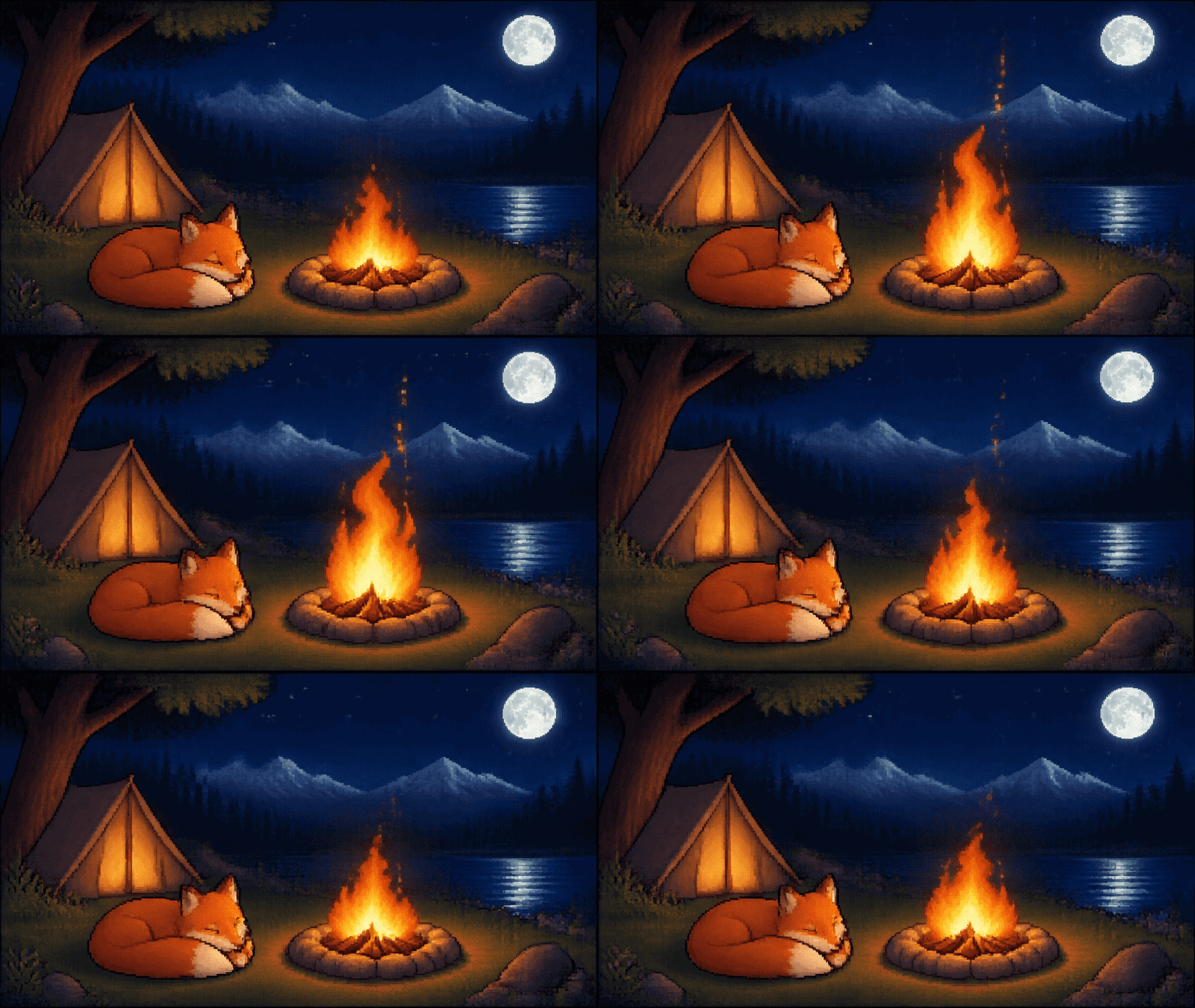
gpt-image-2.6-sunburst,768x432,16 帧,每帧 80 毫秒,detail_level: medium,Pro 套餐 32 积分。
用任何 HTTP 客户端都可以保存 GIF。用 curl 的话:
curl — 保存 GIF
curl --location --output campfire-fox.gif --user-agent 'Mozilla/5.0' 'https://media.pixverse.ai/pixverse%2Ft2i%2Fori%2F...gif'
可直接运行的版本是 GitHub 上的 gpt-image-2-6-gif/ 示例:一个脚本,为列表中的每条提示词生成一个 GIF 并保存文件。
GIF 的尺寸、帧数和速度
GIF 有三个专属设置。gif_frame_size 必填,另外两个有默认值。
gif_frame_size设置每一帧的宽和高,同时也决定画面形状,所以不要再传quality和aspect_ratio。frame_count是 GIF 的帧数,从 2 起,最多到该尺寸的上限。不填则为 9。frame_duration_ms是每帧停留的时间,范围 20 到 2000 毫秒,步长 10。不填则为 200。
循环时长等于 frame_count 乘以 frame_duration_ms。9 帧、每帧 200 毫秒,循环一次 1.8 秒。
| 形状 | gif_frame_size | 最多帧数 |
|---|---|---|
| 正方形 | 384x384、512x512、720x720 | 16 |
| 正方形 | 960x960 | 9 |
| 横向 16:9 | 512x288、768x432 | 16 |
| 横向 16:9 | 1024x576 | 12 |
| 竖向 9:16 | 288x512、432x768 | 16 |
| 竖向 9:16 | 576x1024 | 12 |
GIF 没有透明背景,所以 GIF 不接受 background。参考图片的用法和其他请求一样:用 POST files 上传,再把路径作为 image_path_1、image_path_2 等发送。在按积分收费的套餐上,每张参考图片加收 5 积分。
Flare 还是 Sunburst
两个模型的请求相同,价格也相同。OpenAI 把 Flare 描述为适合“快速迭代”,把 Sunburst 描述为适合“精细的视觉作品”。在我们的运行中,两者生成一个 GIF 都用了约 20 到 30 秒。同一条提示词可以两个都试试,留下你喜欢的那个。
另外两个设置会改变 GIF 的样子:
detail_level可选low、medium、high、xhigh或max,不填则为low。在按积分收费的套餐上,级别越高,积分越多。complexity可选low、medium或high,不填则为high。它决定画面的繁复程度,不影响价格。
下面是 low 细节的 Flare,12 帧,每帧 100 毫秒:

gpt-image-2.6-flare,512x512,12 帧,每帧 100 毫秒,detail_level: low,Pro 套餐 18 积分,19 秒。提示词:Looping animation: a white paper boat bobbing gently on small blue waves, sun glinting on the water, flat illustrated style。
透明 PNG 贴纸
GPT Image 2.6 也能生成静态图片,分辨率为 1080p、1440p 或 2160p。加上 "background": "transparent" 就会得到没有背景的 PNG,可以直接当贴纸或图标用。output_format 请用 png 或 webp。JPEG 不支持透明,所以 jpeg 搭配 transparent 会返回 400,并且不扣费:
400 响应:JPEG 搭配透明背景
{
  "error": "JPEG does not support a transparent background: use output_format png or webp, or background auto or opaque",
  "code": 400
}
curl — POST images/create:用 GPT Image 2.6 Sunburst 生成透明 PNG 贴纸
curl --location 'https://api.useapi.net/v2/pixverse/images/create' \
--header 'Authorization: Bearer user:12345-…' \
--form 'model="gpt-image-2.6-sunburst"' \
--form 'output_format="png"' \
--form 'background="transparent"' \
--form 'detail_level="medium"' \
--form 'quality="1080p"' \
--form 'aspect_ratio="1:1"' \
--form 'prompt="A glossy die-cut sticker of a smiling paper boat mascot, bold outline, isolated, no background"'
我们把同一条提示词发给了 GPT Image 2.6 Sunburst,并作为对比,也发给了更早的 GPT Image 2.5 Flare。两张都是 1024 x 1024 的 PNG,背景透明。这里把它们放在深色底上,方便看清边缘:


左:gpt-image-2.6-sunburst,medium,Pro 套餐 12 积分,23 秒。右:gpt-image-2.5-flare,low,Pro 套餐 5 积分,12 秒。Ultra 上两个模型都免费。
PixVerse 上其他新的图片模型
同一个接口 POST images/create 本月还新增了三个模型。它们在 Ultra 或任何其他套餐上都不免费,一律消耗积分。完整的设置列表见接口页面。
Kling Image 4.0:用于商品页和网页设计的长图
Kling Image 4.0 也能在 Kling API 上运行,支持 8K 图片、系列模式和风格预设,详见如何通过 Kling API 生成 Kling Image 4.0 图片。在 PixVerse 上,kling-4.0 可以生成 1440p 或 2160p 的单张图片。加上 "image_type": "long",它会生成一张装下整个页面的竖长图。long_image_layout 决定页面类型:
webpage生成落地页设计。参考图片可选,最多 2 张。ecommerce_short、ecommerce_medium和ecommerce_long根据 1 到 3 张你的商品照片生成商品页。
长图分辨率为 1080p 或 1440p,不接受 aspect_ratio。我们的两张长图各用了约 2 分钟,所以查询的间隔要比 GIF 更长。
curl — POST images/create:根据一张照片生成 Kling Image 4.0 商品页
curl --location 'https://api.useapi.net/v2/pixverse/images/create' \
--header 'Authorization: Bearer user:12345-…' \
--form 'model="kling-4.0"' \
--form 'image_type="long"' \
--form 'long_image_layout="ecommerce_short"' \
--form 'quality="1080p"' \
--form 'image_path_1="upload/0b1c2d3e-4f50-6172-8394-a5b6c7d8e9f0.png"' \
--form 'prompt="Product page for these wireless headphones: hero shot, 40-hour battery, active noise cancelling, foldable design, warm minimal style"'

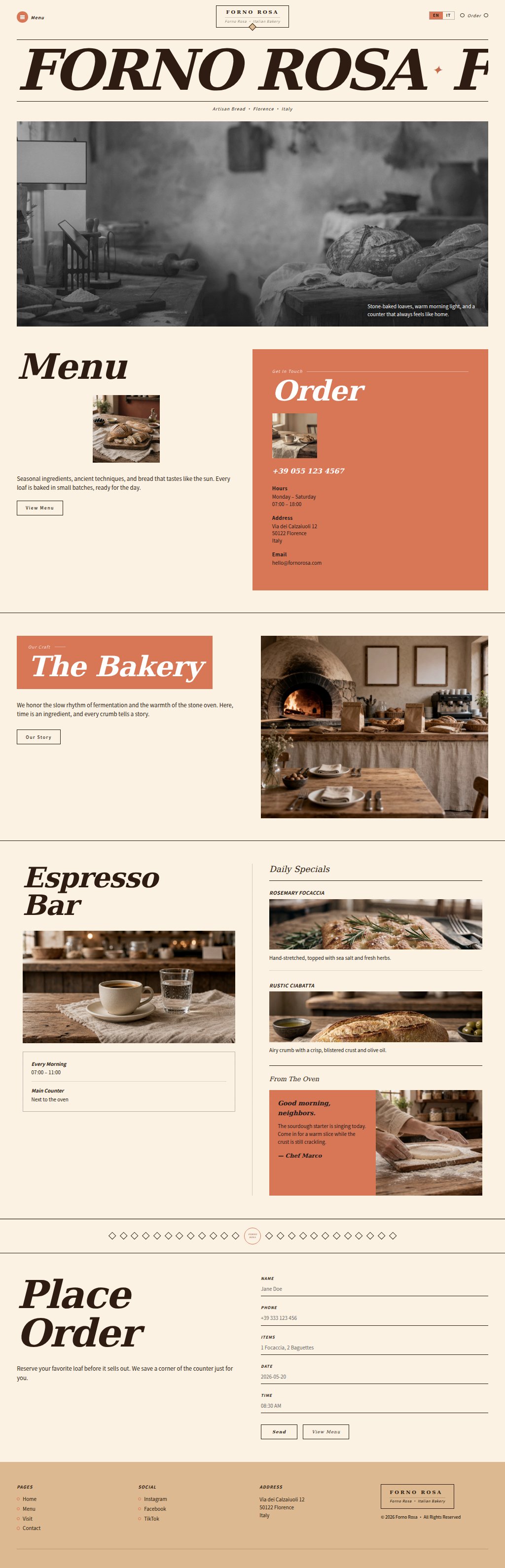
滚动每个画框可以看到整页。左:下面 Seedream 5.5 耳机图生成的 ecommerce_short,1024 x 7157,73 积分(72 加参考图 1),123 秒。右:不带参考图的 webpage,提示词 Landing page for a small Italian bakery called Forno Rosa: hero with fresh bread, menu section, opening hours, map, warm cream and terracotta palette,1024 x 3179,167 积分,107 秒。
Seedream 5.5
Seedream 5.5 也在 Dreamina API 上提供。在 PixVerse 上,seedream-5.5 可以生成 1080p、1.5k 或 1440p 的图片,也支持 background: transparent。它是唯一一个在免费的 Basic 套餐上也能用的新模型。我们的 1.5K 商品图是 1536 x 1536,在 4 折促销期间花了 5 积分(原价 7 积分),用时 17 秒。
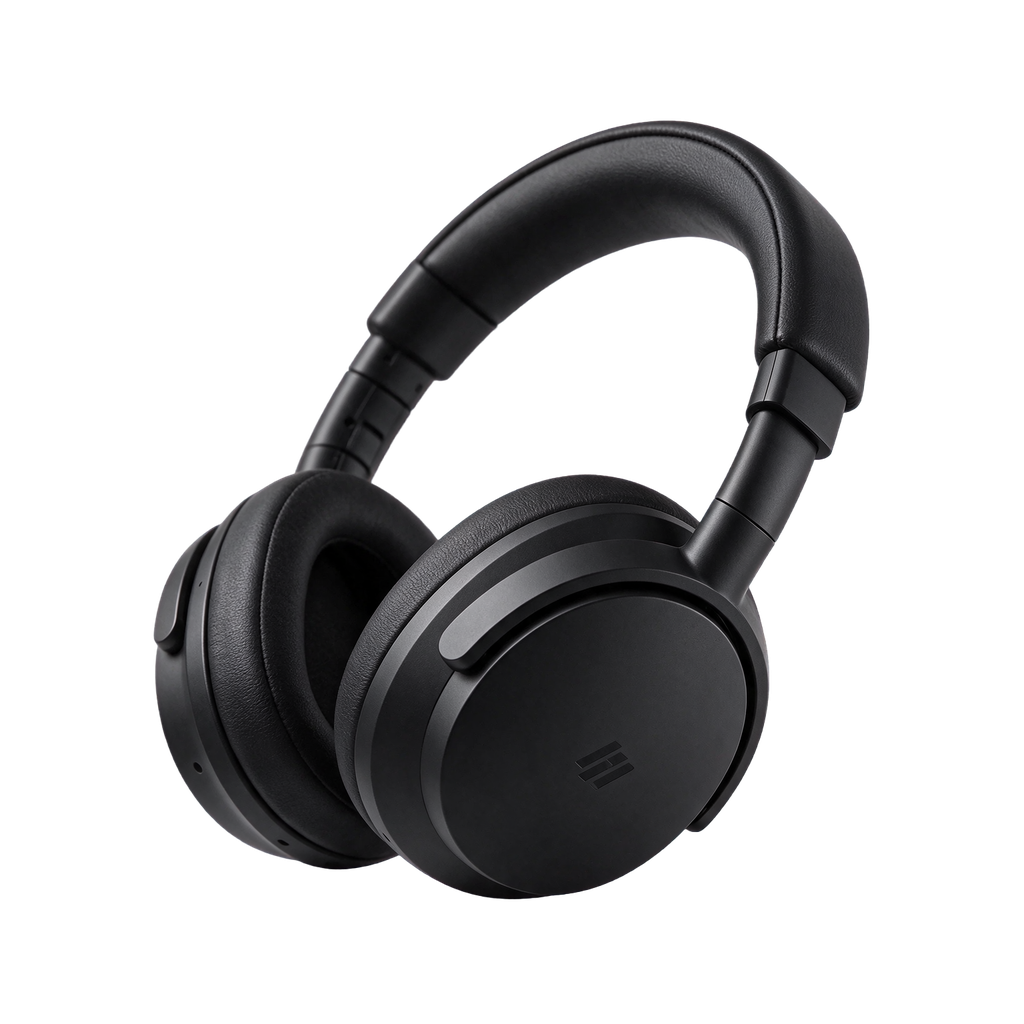
seedream-5.5,1.5k,1:1,background: transparent。提示词:Studio product shot of matte black wireless over-ear headphones, three-quarter view, soft shadows。这里按 1024 x 1024 显示。
MiniMax H3 Image
MiniMax H3 Image 也能在 MiniMax API 上运行,详见如何用 MiniMax H3 Image API 生成图片。在 PixVerse 上,minimax-h3-image 可以生成 1080p、1440p 或 2160p 的图片,最多可用 16 张参考图片。在 1080p、16:9 下,我们的图片是 1360 x 768。在 25% 折扣促销期间花了 6 积分(原价 8 积分),用时 17 秒。
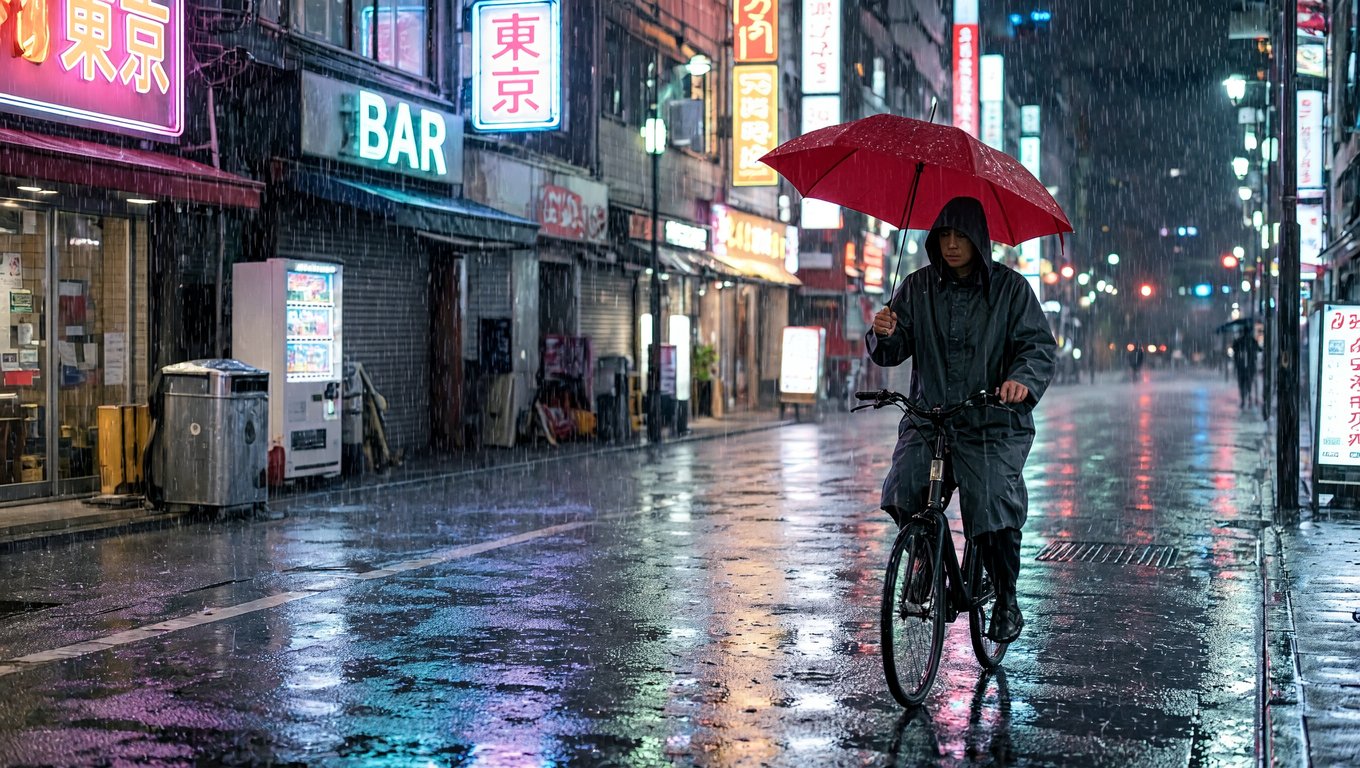
minimax-h3-image,1080p,16:9。提示词:A rainy neon-lit street in Tokyo at night, reflections on wet asphalt, a lone cyclist with a red umbrella, photoreal。
价格
在 PixVerse Ultra 上,GPT Image 2.6 的 GIF 和静态图都是 0 积分。你只需支付两笔固定的月费:
| 费用项目 | 每月 |
|---|---|
| PixVerse Ultra | $199(黑色星期五价,原价 $249) |
| useapi.net 订阅 | $15 |
| 合计 | $214 |
Ultra 的免费生成使用 Relax Mode(放松模式)。超过每个模型的每日额度后,PixVerse 会把你的账号移到慢速队列。GIF 仍然不花钱,只是耗时更长。Flare 和 Sunburst 各有自己的每日额度,大约在 UTC 00:00 重置。详情见无限图片生成。
Ultra 按年付费是 $1,788,合每月 $149;加上 useapi.net 是每月 $164。该套餐每月还附带 30,000 积分。GPT Image 2.6 不消耗这些积分,可以留给视频和不免费的模型。
OpenAI 自己的 API 按 token 为 GPT Image 2.6 计费:每百万图片输出 token $30,Flare 和 Sunburst 相同(OpenAI 价格,2026 年 11 月 23 日)。OpenAI 没有列出 GIF 的价格。一项第三方测试测得,一个小的 9 帧 GIF 约有 1,150 个输出 token,每个 GIF 约 $0.035(OmniaKey,2026 年 11 月 5 日)。更大或更精细的 GIF 可能用更多 token。按每个 $0.035 算,每月做到约 6,100 个 GIF(约每天 200 个)时,固定月费的套餐就更划算。按年付费的话,约 4,700 个就开始划算。按 Ultra 原价 $249 算,则需要约 7,500 个。
| 每月 GIF 数 | OpenAI API,每个约 $0.035 | PixVerse Ultra + useapi.net |
|---|---|---|
| 10,000 | 约 $350 | $214 |
| 20,000 | 约 $700 | $214 |
低于这个盈亏平衡点时,按 GIF 向 OpenAI 付费更便宜。用量很大时,PixVerse 每日的慢速队列可能让部分 GIF 变慢,所以可以把任务分给 Flare 和 Sunburst,或者分到更多账号上。
在 Standard、Pro 和 Premium 上,GPT Image 2.6 需要消耗积分:
detail_level | low | medium | high | xhigh | max |
|---|---|---|---|---|---|
| GIF,任意帧尺寸 | 18 | 32 | 39 | 69 | 154 |
静态图片,1080p | 7 | 12 | 14 | 24 | 53 |
每张参考图片加收 5 积分。
开始使用
每月 15 美元的订阅即可使用 useapi.net 上的所有 API:一个 Token,所有服务。每个服务最多绑定 3 个你自己的账号,useapi.net 负责 REST 接口、负载均衡和轮询。需要更多账号?每增加一个订阅每月 10 美元,每个服务再多 3 个账号。
没有国际信用卡?可以用加密货币订阅(加密货币付款不退款)。价格与批量方案见订阅页面。用 Stripe 付款,首次购买 14 天内、且成功生成少于 50 次可全额退款。已经订阅?请在 Stripe 客户门户 修改数量,无需重新购买。
示例
我们运行中的另外两个 GIF。猫是在 Pro 套餐上生成的。水坑里的纸船是在 Ultra 套餐上生成的,花费 0 积分。
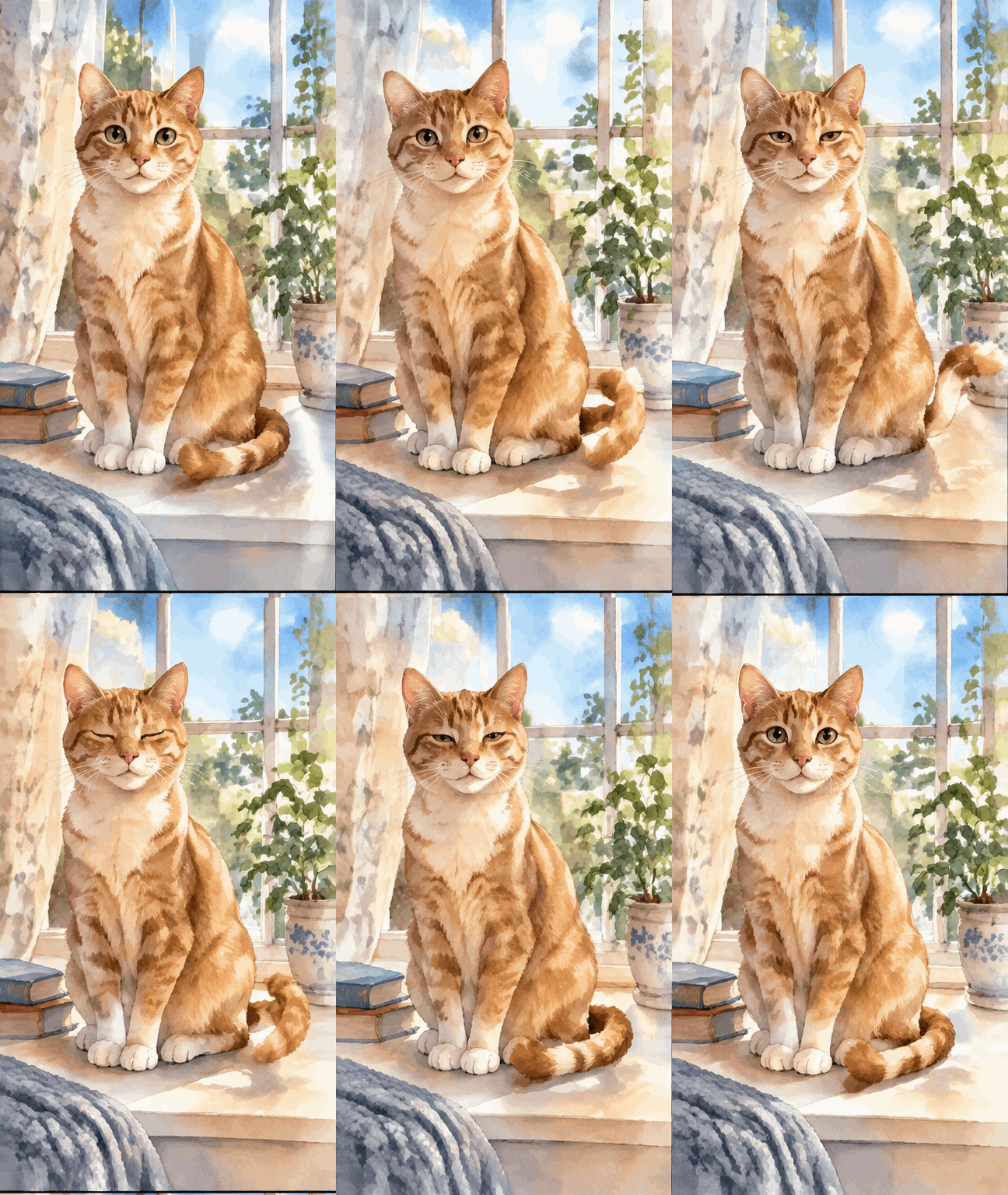

左:gpt-image-2.6-flare,432x768,9 帧,每帧 150 毫秒,low,Pro 套餐 18 积分,24 秒。提示词:Looping animation of a ginger cat on a sunny windowsill, slowly blinking and flicking its tail, watercolor style。右:gpt-image-2.6-flare,384x384,默认 9 帧,每帧 200 毫秒,low,Ultra 上 0 积分。提示词:Looping animation of a tiny paper boat sailing through a rain puddle on a city sidewalk, ripples spreading, flat illustrated style。
作为对比,下面是同一个纸船提示词的静态图片。gpt-image-2.6-flare、png、1080p、16:9 和 low 在 7 秒内生成了一张 1280 x 720 的图片,花费 7 积分:
 提示词:
A small white paper boat drifting on a calm turquoise lake at golden hour, soft reflections, gentle mist, cinematic wide shot。
常见问题
没有 OpenAI API 密钥,怎样生成 GPT Image 2.6 的 GIF?
useapi.net 在你自己的 PixVerse 账号上运行 GPT Image 2.6 Flare 和 Sunburst,所以你只需要一个 useapi.net Token 和 Standard 及以上的 PixVerse 套餐,不需要 OpenAI 账号。向 POST images/create 发送 output_format: gif 和 gif_frame_size,再用 GET images 读取结果。在 PixVerse Ultra 上,GIF 花费 0 积分。
一个 GPT Image 2.6 GIF 要多少钱?
通过 useapi.net 在 PixVerse Ultra 上,每个 GIF 不消耗积分:我们在 2026 年 11 月 23 日验证过一个 GIF 为 0 积分。你支付 Ultra 的 $199(黑色星期五价)加 useapi.net 的 $15,共每月 $214。OpenAI 的 API 按 token 收费,在第三方测试中一个小的 9 帧 GIF 约 $0.035。每月做到约 6,100 个 GIF 起,固定月费的套餐更便宜(截至 2026 年 11 月)。
怎样用 GPT Image 2.6 做透明 PNG 贴纸?
useapi.net 会把你的贴纸请求发给 GPT Image 2.6,只多一个字段 background: transparent,并把 output_format 设为 png 或 webp。我们的 Sunburst 贴纸在 23 秒内返回,是 1024 x 1024、背景透明的 PNG。JPEG 不能透明,所以这种组合会在扣费前返回 400。在 PixVerse Ultra 上,贴纸和 GIF 一样是 0 积分。
GPT Image 2.6 的 GIF 最长能多长?
useapi.net 让你自己设置每个 GIF 的长度。一个 GIF 有 2 到 16 帧,每帧停留 20 到 2000 毫秒,所以一次循环最长 32 秒。尺寸从 384 x 384 到 960 x 960,有正方形、16:9 和 9:16 三种形状。最大的尺寸只允许 9 帧或 12 帧。在 PixVerse Ultra 上,所有尺寸和时长都是 0 积分。
结语
只要一次带 output_format: gif 的请求,就能把提示词变成循环播放的 GPT Image 2.6 GIF。在 PixVerse Ultra 上这些 GIF 不消耗积分,所以一个忙碌的应用每月付 $214,而不是按 GIF 付费。从 POST images/create 开始,或查看 PixVerse API 概览了解它的其他功能。
有问题欢迎加入我们的  Discord 服务器 或
 Telegram 频道。